import 'package:flutter/material.dart';


void main() {
  runApp(const MyApp());
}

class MyApp extends StatelessWidget {
  const MyApp({super.key});
  @override
  Widget build(BuildContext context) {
    return MaterialApp(
      debugShowCheckedModeBanner: false,
      title: 'E-Commerce App',
      theme: ThemeData(primarySwatch: Colors.blue,),
      home: const Home(),
    );
  }
}

class Home extends StatelessWidget{
  const Home({super.key});
  @override
  Widget build(BuildContext context) {
    return Scaffold(
      backgroundColor: Colors.cyan.withOpacity(0.5),
      ///////////////////////AppBar ////////////////////////////////
      appBar: AppBar(
        backgroundColor: Colors.deepPurple,
        title: const Text('Home Screen', style: TextStyle(color: Colors.white),),
        leading: const Icon(Icons.home, color: Colors.white,),
      ),

      ///////////////////////End AppBar ////////////////////////////////

      body: Center(
        child:Column(
          mainAxisAlignment: MainAxisAlignment.start,
          mainAxisSize: MainAxisSize.min,
          crossAxisAlignment: CrossAxisAlignment.center,

          children: [
              /////////////////////// ElevatedButton Button ////////////////////////////////
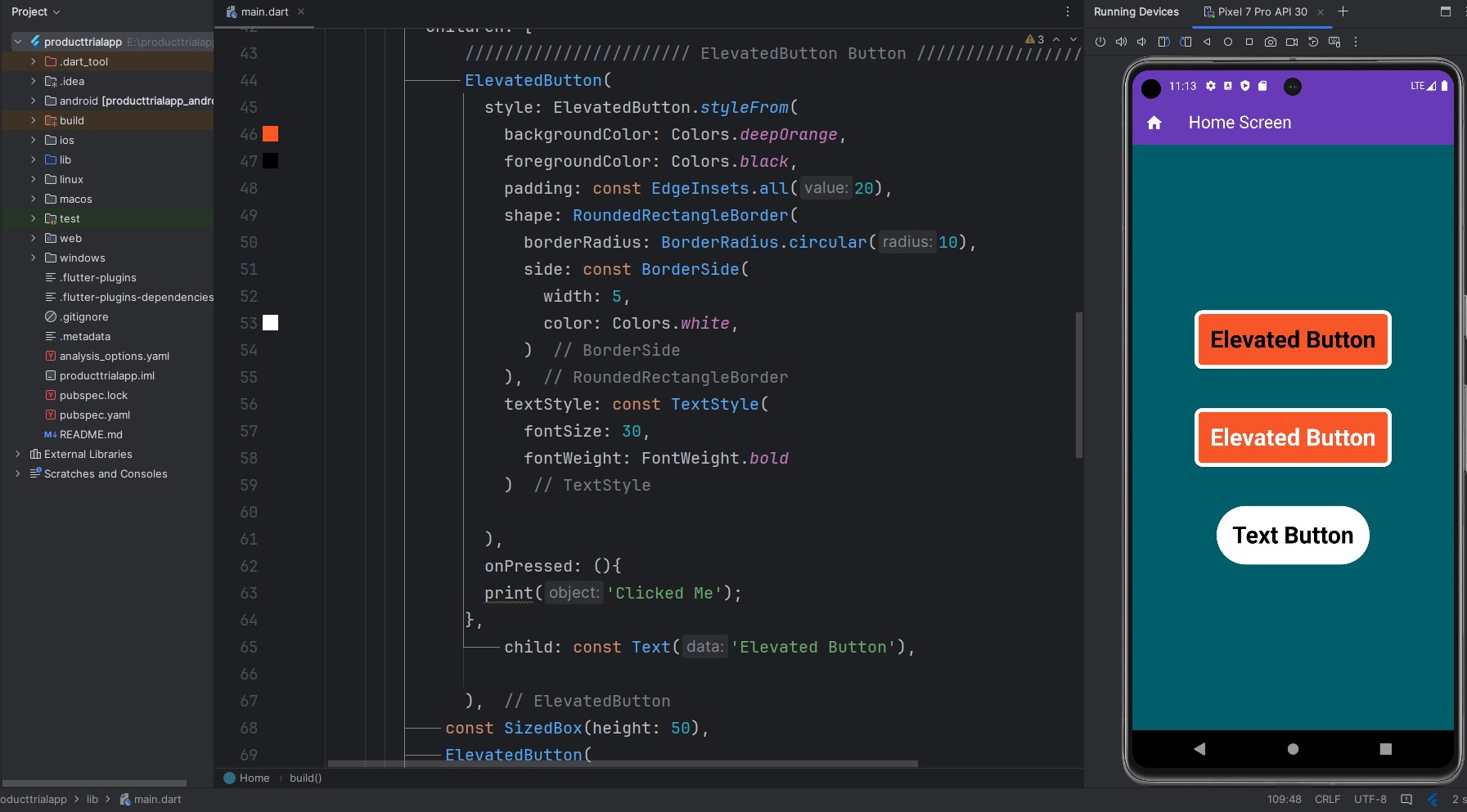
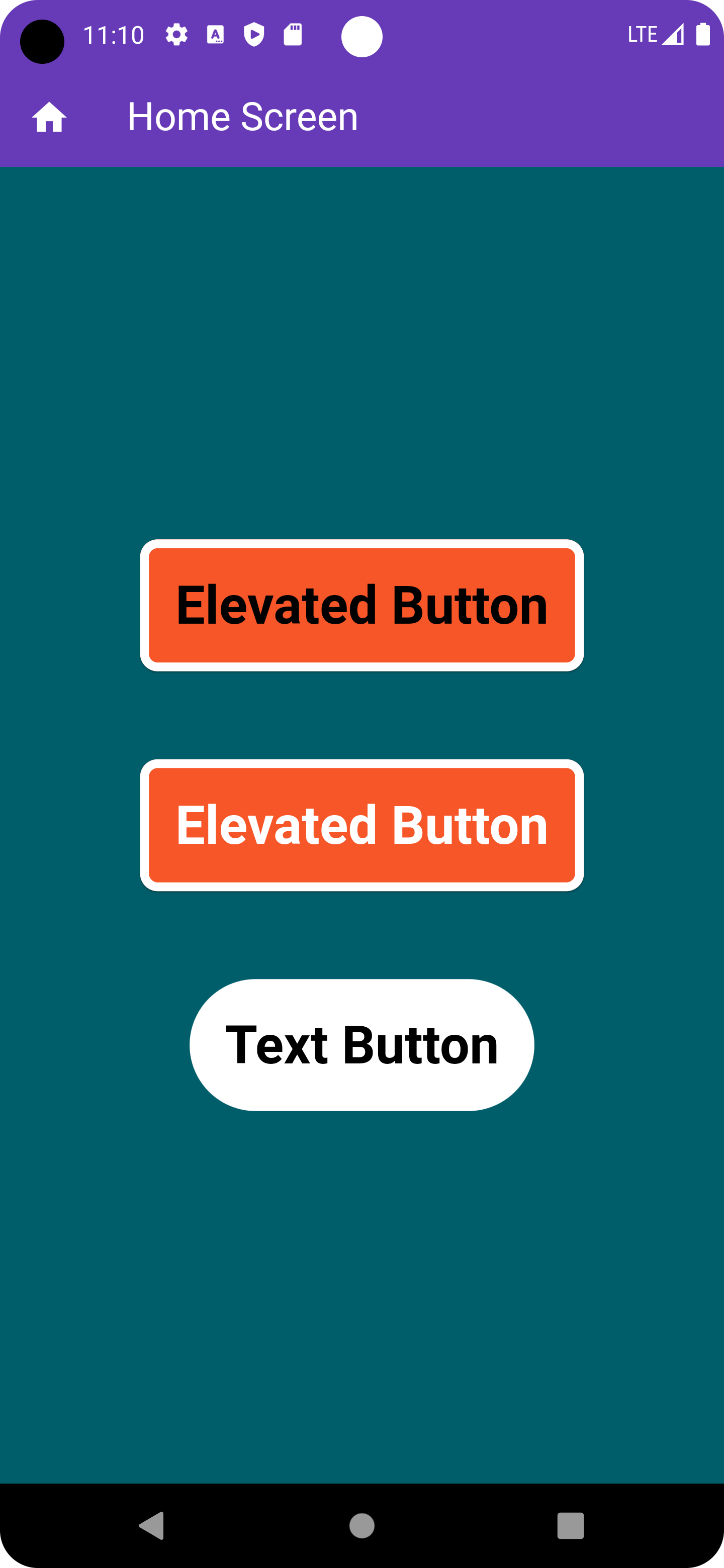
              ElevatedButton(
                style: ElevatedButton.styleFrom(
                  backgroundColor: Colors.deepOrange,
                  foregroundColor: Colors.black,
                  padding: const EdgeInsets.all(20),
                  shape: RoundedRectangleBorder(
                    borderRadius: BorderRadius.circular(10),
                    side: const BorderSide(
                      width: 5,
                      color: Colors.white,
                    )
                  ),
                  textStyle: const TextStyle(
                    fontSize: 30,
                    fontWeight: FontWeight.bold
                  )

                ),
                onPressed: (){
                print('Clicked Me');
              },
                  child: const Text('Elevated Button'),

              ),
            const SizedBox(height: 50),
            ElevatedButton(
              style: ElevatedButton.styleFrom(
                  backgroundColor: Colors.deepOrange,
                  foregroundColor: Colors.white,
                  padding: const EdgeInsets.all(20),
                  shape: RoundedRectangleBorder(
                      borderRadius: BorderRadius.circular(10),
                      side: const BorderSide(
                        width: 5,
                        color: Colors.white,
                      )
                  ),
                  textStyle: const TextStyle(
                      fontSize: 30,
                      fontWeight: FontWeight.bold
                  )

              ),
              onPressed: (){
                print('Clicked Me');
              },
              child: const Text('Elevated Button'),

            ),
            ///////////////////////////// End ElevatedButton //////////////////////////
            const SizedBox(height: 50),

            //////////////////////////// Text Button /////////////////////////////////
            TextButton(
                style: TextButton.styleFrom(
                  foregroundColor: Colors.black,
                  backgroundColor: Colors.white,
                    padding: const EdgeInsets.all(20),
                    textStyle: const TextStyle(
                        fontSize: 30,
                        fontWeight: FontWeight.bold
                    )
                ),

                onPressed: (){
                  print('Clicked Text Button');
                }, child: const Text('Text Button'),

            )
            //////////////////////////// Ebd Text Button /////////////////////////////////
          ],
        ),

      ),
    );
  }
}