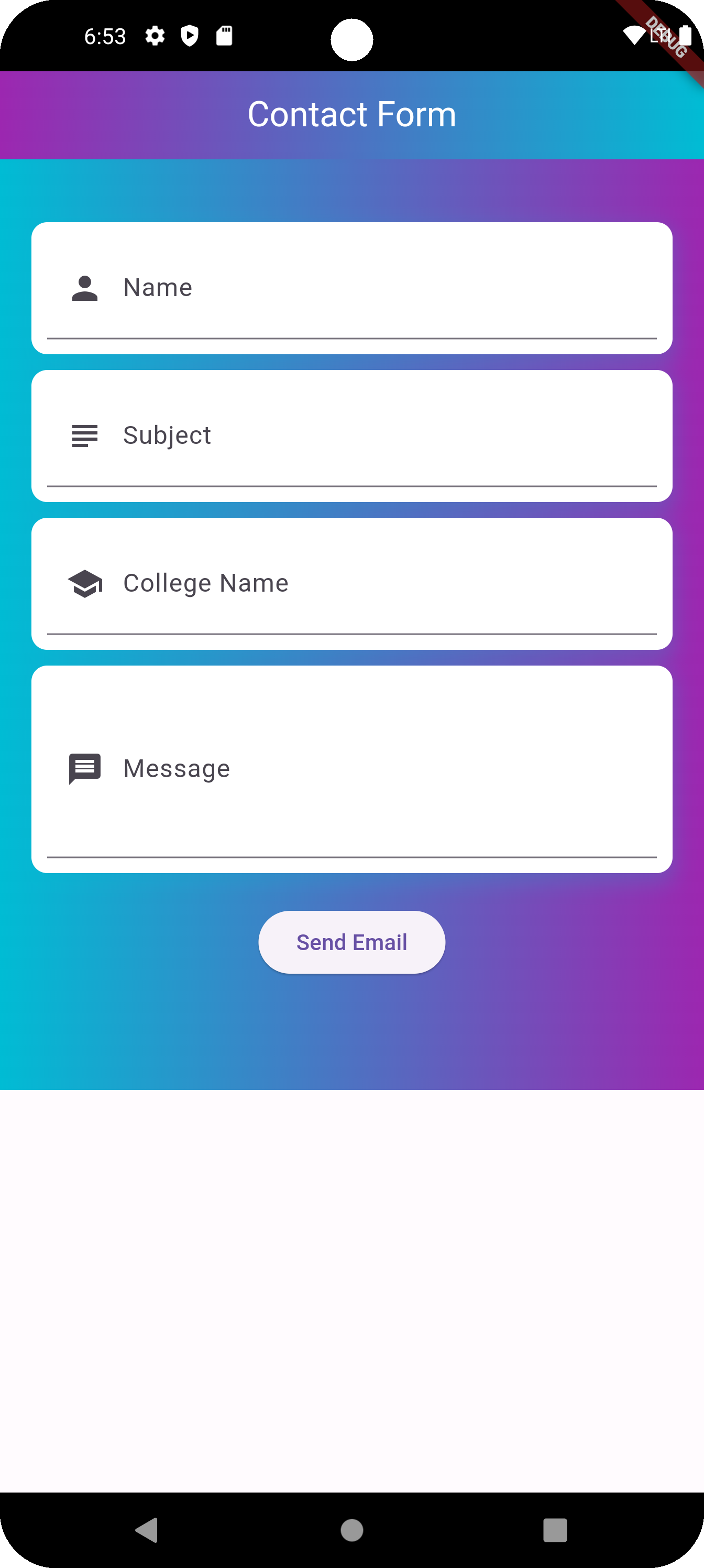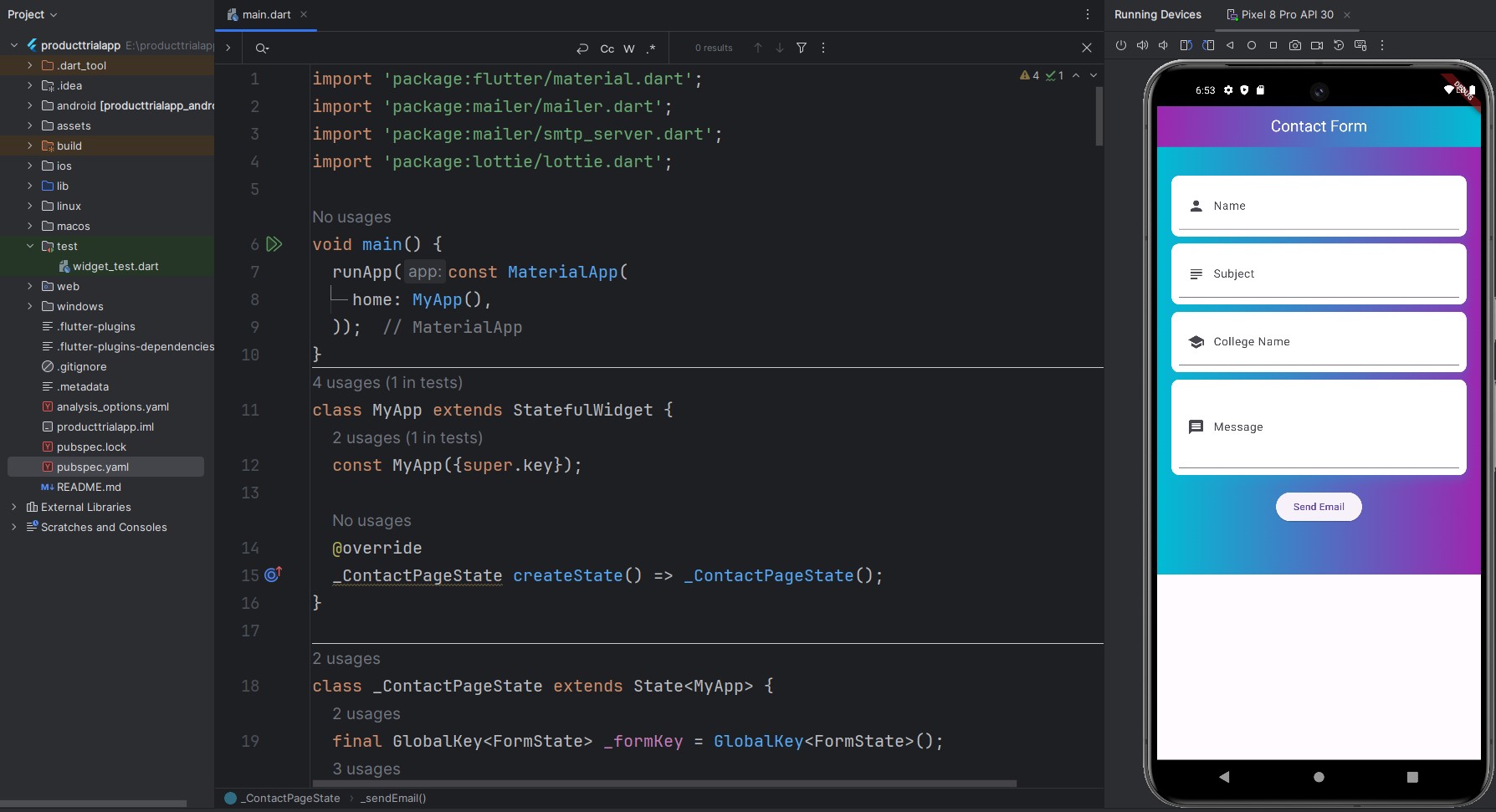
Mastering Form Field Usage in Flutter: A Comprehensive Guide
In Flutter, form fields are essential components for collecting user input and building interactive UIs. Whether you’re creating a login screen, a data entry form, or any input-based feature, understanding how to effectively utilize form fields is crucial for a seamless user experience.
In this guide, we’ll dive deep into the world of form fields in Flutter, exploring their various types, customization options, validation techniques, and best practices. From simple text fields to complex form structures, you’ll learn how to harness the power of Flutter’s form field widgets to create dynamic and user-friendly applications.
Stay tuned as we uncover the tips, tricks, and techniques that will empower you to leverage form fields efficiently in your Flutter projects.
Code
import 'package:flutter/material.dart';
import 'package:mailer/mailer.dart';
import 'package:mailer/smtp_server.dart';
import 'package:lottie/lottie.dart';
void main() {
runApp(const MaterialApp(
home: MyApp(),
));
}
class MyApp extends StatefulWidget {
const MyApp({super.key});
@override
_ContactPageState createState() => _ContactPageState();
}
class _ContactPageState extends State<MyApp> {
final GlobalKey<FormState> _formKey = GlobalKey<FormState>();
final TextEditingController nameController = TextEditingController();
final TextEditingController subjectController = TextEditingController();
final TextEditingController collegeController = TextEditingController();
final TextEditingController messageController = TextEditingController();
bool isLoading = false;
@override
Widget build(BuildContext context) {
return SafeArea(
child: Scaffold(
appBar: AppBar(
iconTheme: const IconThemeData(color: Colors.white),
title: const Text(
'Contact Form',
style: TextStyle(color: Colors.white),
),
flexibleSpace: Container(
decoration: const BoxDecoration(
gradient: LinearGradient(
colors: [Colors.purple, Colors.cyan]
)
),
),
centerTitle: true,
backgroundColor: Colors.cyan,
),
body: Builder(
builder: (BuildContext scaffoldContext) {
return SafeArea(
child:Center(
child: Column(
children: [
Container(
padding: const EdgeInsets.only(bottom: 50),
decoration: const BoxDecoration(
gradient: LinearGradient(
begin: Alignment.topLeft,
end: Alignment.topRight,
colors: [
Colors.cyan,
Colors.purple,
],
),
),
child: SingleChildScrollView(
child: Padding(
padding: const EdgeInsets.all(20),
child: Form(
key: _formKey,
child: Column(
children: [
const SizedBox(height: 20),
Container(
padding: const EdgeInsets.all(10),
decoration: BoxDecoration(
color: Colors.white,
borderRadius: BorderRadius.circular(10),
boxShadow: [
BoxShadow(
offset: const Offset(0, 5),
color: Colors.cyan.withOpacity(.2),
spreadRadius: 2,
blurRadius: 10,
)
],
),
child: TextFormField(
controller: nameController,
validator: (value) {
if (value == null || value.isEmpty) {
return 'Name is required';
}
return null;
},
decoration: const InputDecoration(
labelText: 'Name',
prefixIcon: Icon(Icons.person),
),
),
),
const SizedBox(height: 10),
Container(
padding: const EdgeInsets.all(10),
decoration: BoxDecoration(
color: Colors.white,
borderRadius: BorderRadius.circular(10),
boxShadow: [
BoxShadow(
offset: const Offset(0, 5),
color: Colors.cyan.withOpacity(.2),
spreadRadius: 2,
blurRadius: 10,
)
],
),
child: TextFormField(
controller: subjectController,
validator: (value) {
if (value == null || value.isEmpty) {
return 'Subject is required';
}
return null;
},
decoration: const InputDecoration(
labelText: 'Subject',
prefixIcon: Icon(Icons.subject),
),
),
),
const SizedBox(height: 10),
Container(
padding: const EdgeInsets.all(10),
decoration: BoxDecoration(
color: Colors.white,
borderRadius: BorderRadius.circular(10),
boxShadow: [
BoxShadow(
offset: const Offset(0, 5),
color: Colors.cyan.withOpacity(.2),
spreadRadius: 2,
blurRadius: 10,
)
],
),
child: TextFormField(
controller: collegeController,
validator: (value) {
if (value == null || value.isEmpty) {
return 'College Name is required';
}
return null;
},
decoration: const InputDecoration(
labelText: 'College Name',
prefixIcon: Icon(Icons.school),
),
),
),
const SizedBox(height: 10),
Container(
padding: const EdgeInsets.all(10),
decoration: BoxDecoration(
color: Colors.white,
borderRadius: BorderRadius.circular(10),
boxShadow: [
BoxShadow(
offset: const Offset(0, 5),
color: Colors.cyan.withOpacity(.2),
spreadRadius: 2,
blurRadius: 10,
)
],
),
child: TextFormField(
controller: messageController,
validator: (value) {
if (value == null || value.isEmpty) {
return 'Message is required';
}
return null;
},
maxLines: 3,
decoration: const InputDecoration(
labelText: 'Message',
prefixIcon: Icon(Icons.message),
),
),
),
const SizedBox(height: 20),
ElevatedButton(
onPressed: () async {
setState(() {
isLoading = true;
});
await _sendEmail(scaffoldContext);
setState(() {
isLoading = false;
});
},
child: isLoading
? Lottie.asset(
'assets/animation.json',
width: 50,
height: 50,
)
: const Text('Send Email'),
),
],
),
),
),
),
),
],
),
),
);
},
),
),
);
}
Future<void> _sendEmail(BuildContext context) async {
if (!_formKey.currentState!.validate()) {
return;
}
String username = 'support@email.com';
String password = 'GHekhjwfjdsf';
final smtpServer = SmtpServer(
'here host name',
username: username,
password: password,
port: 465,
ssl: true,
);
final message = Message()
..from = Address(username, 'App Message')
..recipients.add('email address here')
..subject = subjectController.text
..text = '''
Name: ${nameController.text}
College: ${collegeController.text}
Message: ${messageController.text}
''';
try {
await send(message, smtpServer);
ScaffoldMessenger.of(context).showSnackBar(
SnackBar(
content: const Text('Email sent successfully!'),
behavior: SnackBarBehavior.floating,
shape: RoundedRectangleBorder(
borderRadius: BorderRadius.circular(10),
),
),
);
_clearForm();
} catch (e) {
print('Error sending email: $e');
ScaffoldMessenger.of(context).showSnackBar(
SnackBar(
content: const Text('Failed to send email. Please try again.'),
behavior: SnackBarBehavior.floating,
shape: RoundedRectangleBorder(
borderRadius: BorderRadius.circular(10),
),
),
);
}
}
void _clearForm() {
nameController.clear();
subjectController.clear();
collegeController.clear();
messageController.clear();
}
}
pubspec.yaml
name: myapp
description: "A new Flutter project."
# The following line prevents the package from being accidentally published to
# pub.dev using `flutter pub publish`. This is preferred for private packages.
publish_to: 'none' # Remove this line if you wish to publish to pub.dev

# The following defines the version and build number for your application.
# A version number is three numbers separated by dots, like 1.2.43
# followed by an optional build number separated by a +.
# Both the version and the builder number may be overridden in flutter
# build by specifying --build-name and --build-number, respectively.
# In Android, build-name is used as versionName while build-number used as versionCode.
# Read more about Android versioning at https://developer.android.com/studio/publish/versioning
# In iOS, build-name is used as CFBundleShortVersionString while build-number is used as CFBundleVersion.
# Read more about iOS versioning at
# https://developer.apple.com/library/archive/documentation/General/Reference/InfoPlistKeyReference/Articles/CoreFoundationKeys.html
# In Windows, build-name is used as the major, minor, and patch parts
# of the product and file versions while build-number is used as the build suffix.
version: 1.0.0+1

environment:
  sdk: '>=3.3.3 <4.0.0'

# Dependencies specify other packages that your package needs in order to work.
# To automatically upgrade your package dependencies to the latest versions
# consider running `flutter pub upgrade --major-versions`. Alternatively,
# dependencies can be manually updated by changing the version numbers below to
# the latest version available on pub.dev. To see which dependencies have newer
# versions available, run `flutter pub outdated`.
dependencies:
  flutter:
    sdk: flutter
  image_picker: ^1.0.8
  permission_handler: ^11.3.1
  mailer: ^5.0.3
  lottie: ^2.7.0


  # The following adds the Cupertino Icons font to your application.
  # Use with the CupertinoIcons class for iOS style icons.
  cupertino_icons: ^1.0.6

dev_dependencies:
  flutter_test:
    sdk: flutter

  # The "flutter_lints" package below contains a set of recommended lints to
  # encourage good coding practices. The lint set provided by the package is
  # activated in the `analysis_options.yaml` file located at the root of your
  # package. See that file for information about deactivating specific lint
  # rules and activating additional ones.
  flutter_lints: ^3.0.0

# For information on the generic Dart part of this file, see the
# following page: https://dart.dev/tools/pub/pubspec

# The following section is specific to Flutter packages.
flutter:

  # The following line ensures that the Material Icons font is
  # included with your application, so that you can use the icons in
  # the material Icons class.
  uses-material-design: true

  # To add assets to your application, add an assets section, like this:
  # assets:
  #   - images/a_dot_burr.jpeg
  #   - images/a_dot_ham.jpeg

  # An image asset can refer to one or more resolution-specific "variants", see
  # https://flutter.dev/assets-and-images/#resolution-aware

  # For details regarding adding assets from package dependencies, see
  # https://flutter.dev/assets-and-images/#from-packages

  # To add custom fonts to your application, add a fonts section here,
  # in this "flutter" section. Each entry in this list should have a
  # "family" key with the font family name, and a "fonts" key with a
  # list giving the asset and other descriptors for the font. For
  # example:
  # fonts:
  #   - family: Schyler
  #     fonts:
  #       - asset: fonts/Schyler-Regular.ttf
  #       - asset: fonts/Schyler-Italic.ttf
  #         style: italic
  #   - family: Trajan Pro
  #     fonts:
  #       - asset: fonts/TrajanPro.ttf
  #       - asset: fonts/TrajanPro_Bold.ttf
  #         weight: 700
  #
  # For details regarding fonts from package dependencies,
  # see https://flutter.dev/custom-fonts/#from-packages
  assets:
    - assets/animation.json
Output